AI features
Let an AI agent build with you (MCP / Skills)
Connect AI assistants such as Claude Code or Cursor to Larch and let them add cards, sort assets and check for broken links.
Let an AI agent build with you (MCP / Skills)
Larch lets outside AI assistants work on your project directly. It suits repetitive, well-defined jobs: adding cards, sorting assets, running checks.
1. Connect your AI
- Click your avatar in the bottom-left corner to open your account, then the AI assist tab.
- Under “Connect”, press Create & copy Skill.
- Paste it into an AI tool that supports Skills or MCP, such as Claude Code or Cursor.
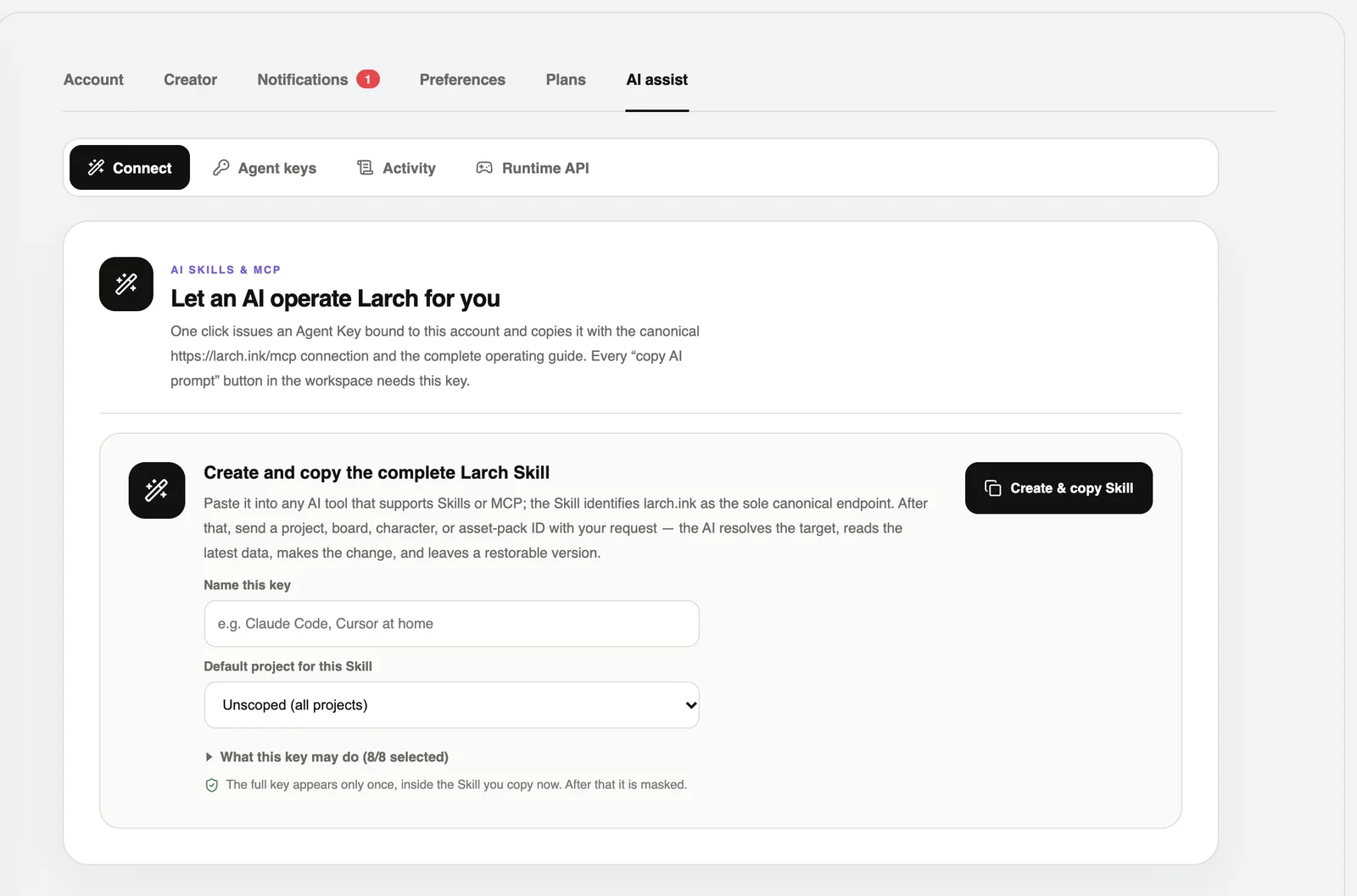
MCP endpoint: https://larch.ink/mcp Every agent key is listed under “Agent keys” — revoke it when you no longer need it.
2. Start with a small task
Example: add six cards to “Prologue”, keep the opening, and add one player choice. Tell me your plan first, check for unconnected cards when you are done, and do not publish.
3. Good jobs for AI
- Build dialogue, choice and ending cards from an outline.
- Tidy up character profiles, speech styles and expression names.
- Upload, name and sort assets.
- Find unconnected cards, scenes missing art, and repeated lines.
- RPG: paint maps, place events and set up battles.
4. Review every round
- Play the routes the AI changed.
- Ask it to list what it added, changed and deleted.
- Before big changes, save a copy in “Version history”.
- Every board has “Copy AI prompt”, which hands its current content to an AI in one go.
An agent key acts with your account’s permissions. Never paste it anywhere public, and revoke it as soon as you are done.