Assets
Assets: uploads, packs and image sizes
Project media, My assets and the marketplace explained; sharing your own packs; recommended sizes for backgrounds, portraits, buttons and dialogue boxes.
Assets: uploads, packs and image sizes
Your assets live in three places: Media library: assets used by this project only. My assets: your own library, shared by all your projects. Marketplace: packs from Larch and other creators.
Media library
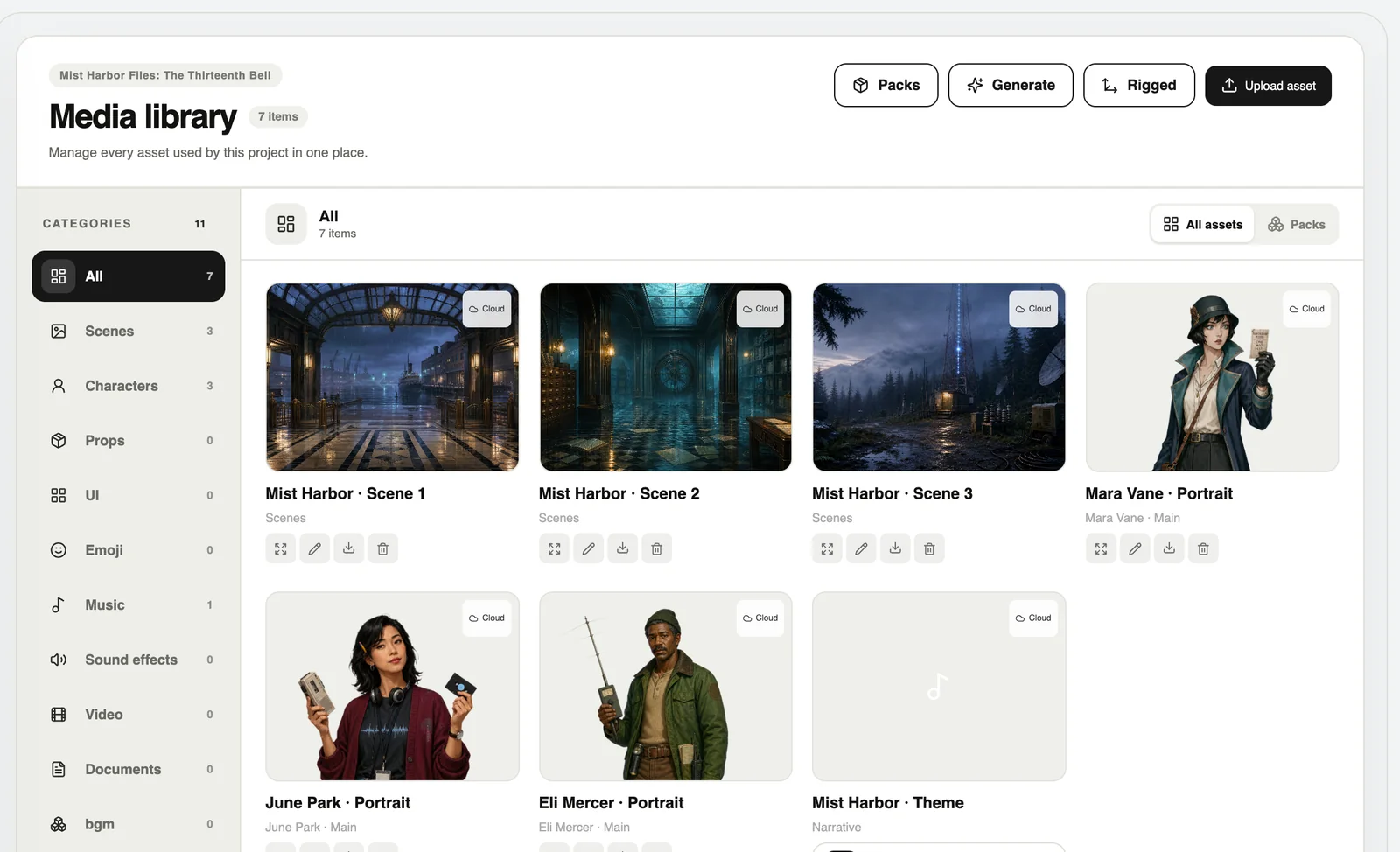
Press Upload asset, or drop files straight in. Categories include scenes, portraits, props, UI, emoji, music, sound effects, video and documents.
My assets and packs
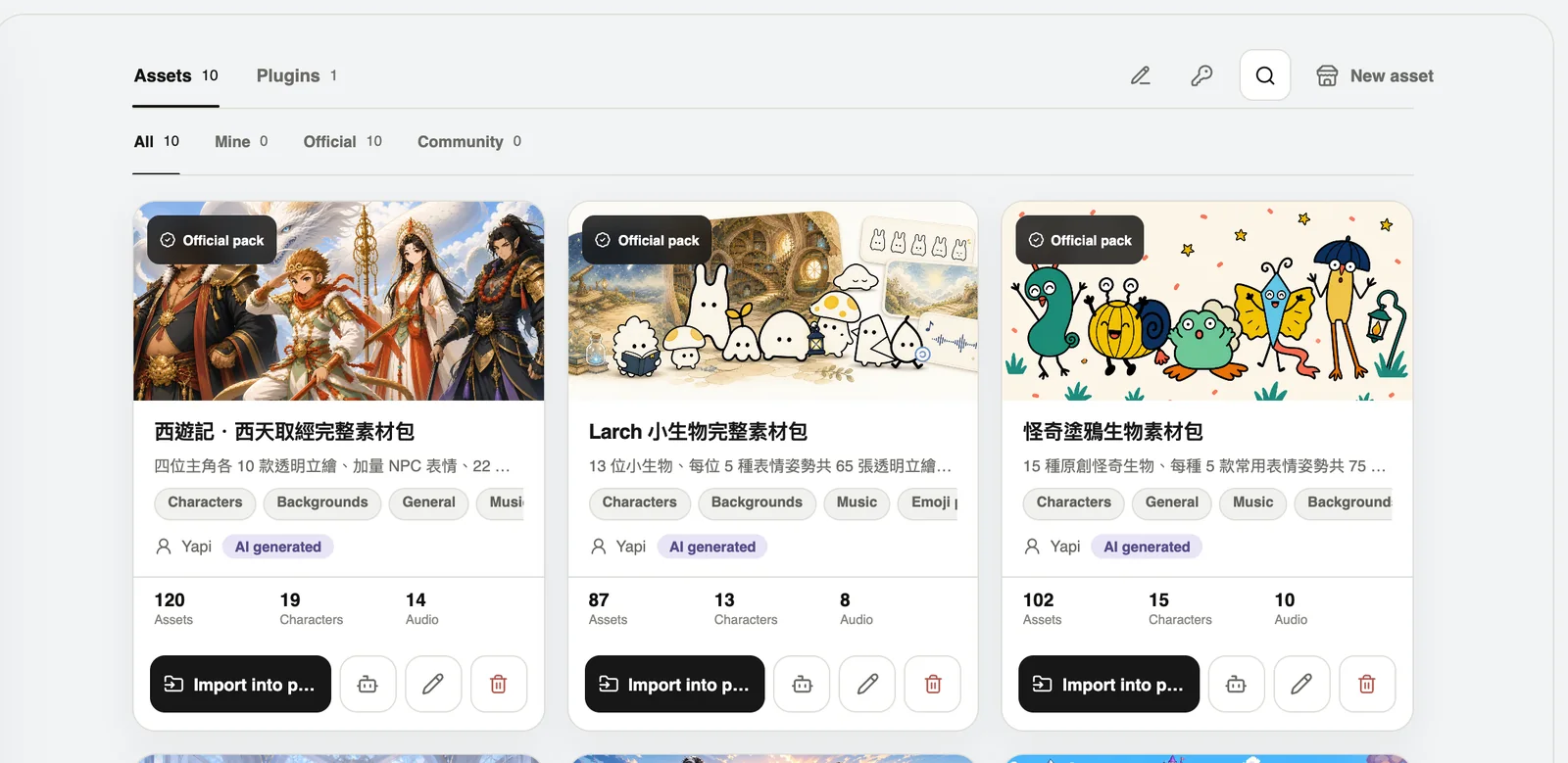
A pack can be imported into a project in one go. The starter packs you ticked when creating a project are here too. To share privately, a pack can make an exchange code for a friend.
Marketplace
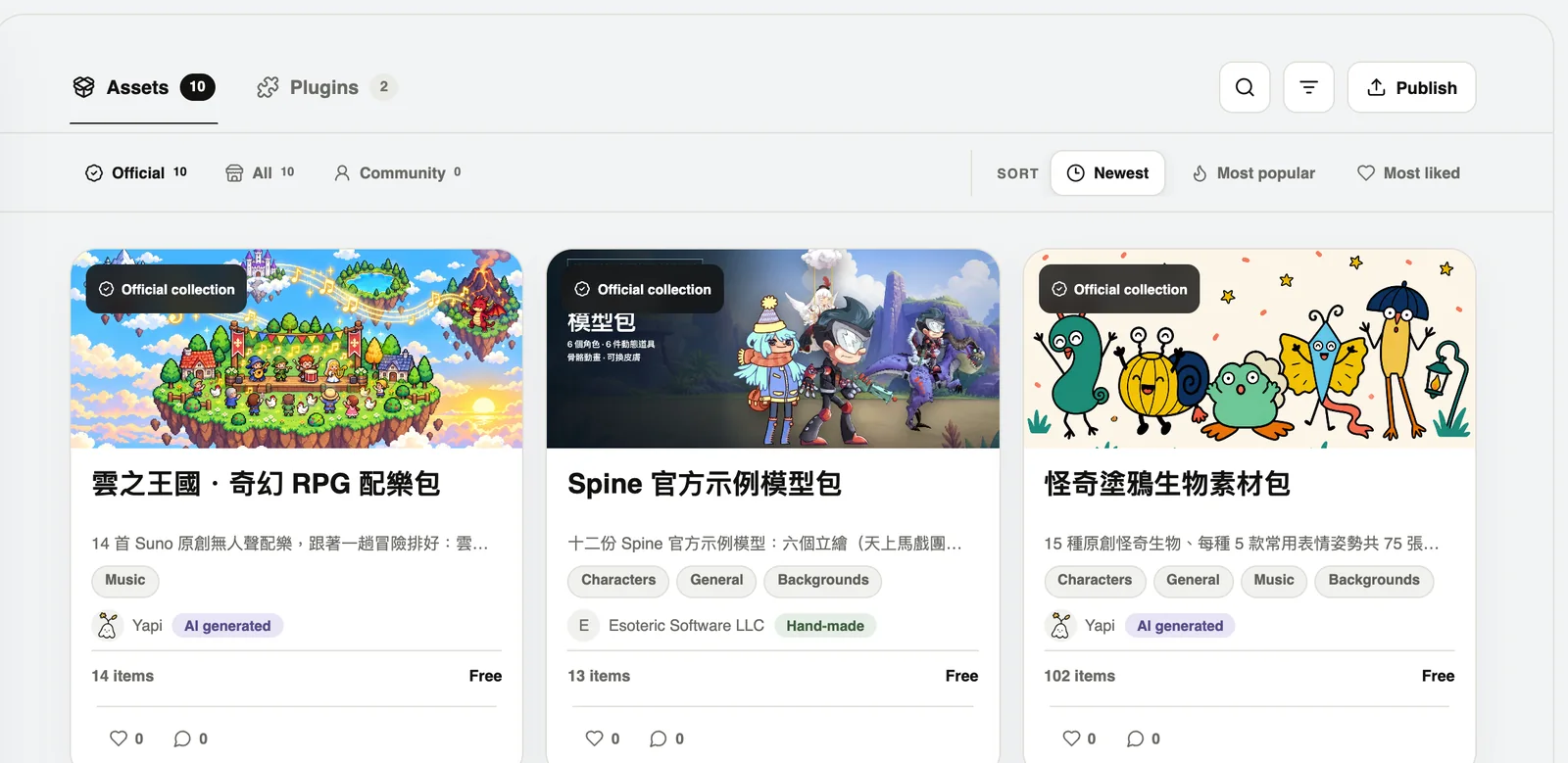
Found one you like? Press Add the whole pack to My assets. Official Larch packs can be used in commercial games; just don’t resell the original files.
Share your own pack
- In the marketplace, press Publish → List my assets.
- Pick a pack, describe it and say how others may use it.
- Choose public or private, free or paid, then create the listing.
Size cheat sheet
These are suggestions, not rules — but they save the most work:
- Stage, backgrounds, CGs: 1920 × 1080 (16:9); 1080 × 1920 for portrait phone games.
- Full-body portraits: 1024 × 1536 (about 2:3), transparent PNG or WebP.
- Half-body portraits and props: 1024 × 1024, transparent background.
- Title buttons: 1200 × 240, the same size for all four states.
- Dialogue box frame: 1920 × 560, transparent PNG.
- Name tag: 1344 × 400; choice box: 1440 × 320.
- Cursor: 64 × 64 or 128 × 128.
Keep important faces and text at least 5% away from every edge. Don’t paint text into UI images — let Larch set the text so it can switch languages and sizes.