Plugins
Plugins: install, use and manage
How to add a plugin to a project, use it on the board and remove it — and how to have AI build your own plugin and publish it.
Plugins: install, use and manage
Plugins add new cards and systems to Larch, such as an inventory, RPG maps and battles.
Official plugins
- Inventory system: pick up items, open the bag, change the story with items. Free. (Guide)
- RPG System: maps, events, battles and multiplayer. Free. (Guide)
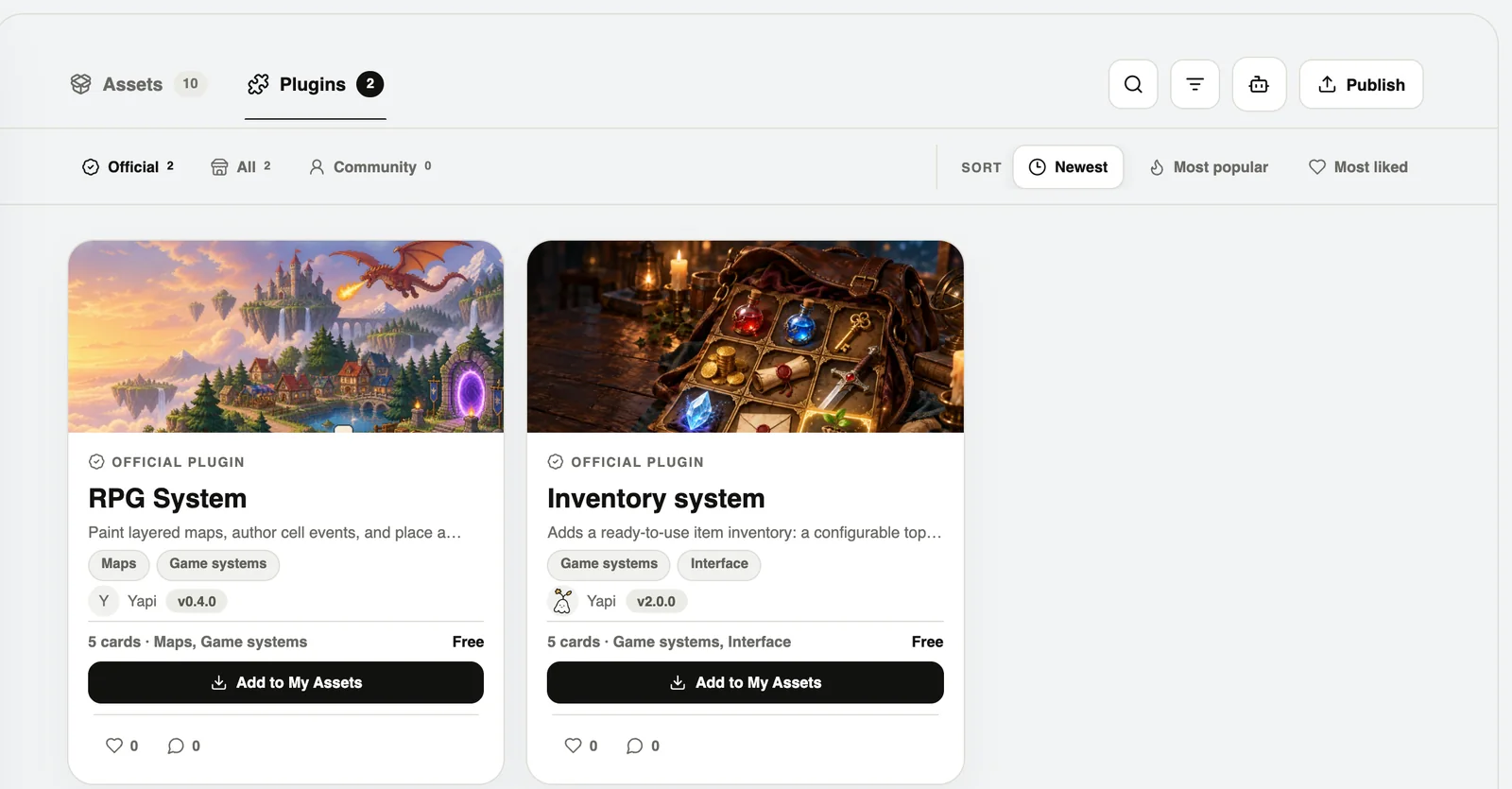
Install in two steps
- Marketplace → Plugins → open one → Add to My Assets.
- Then import it into a project.
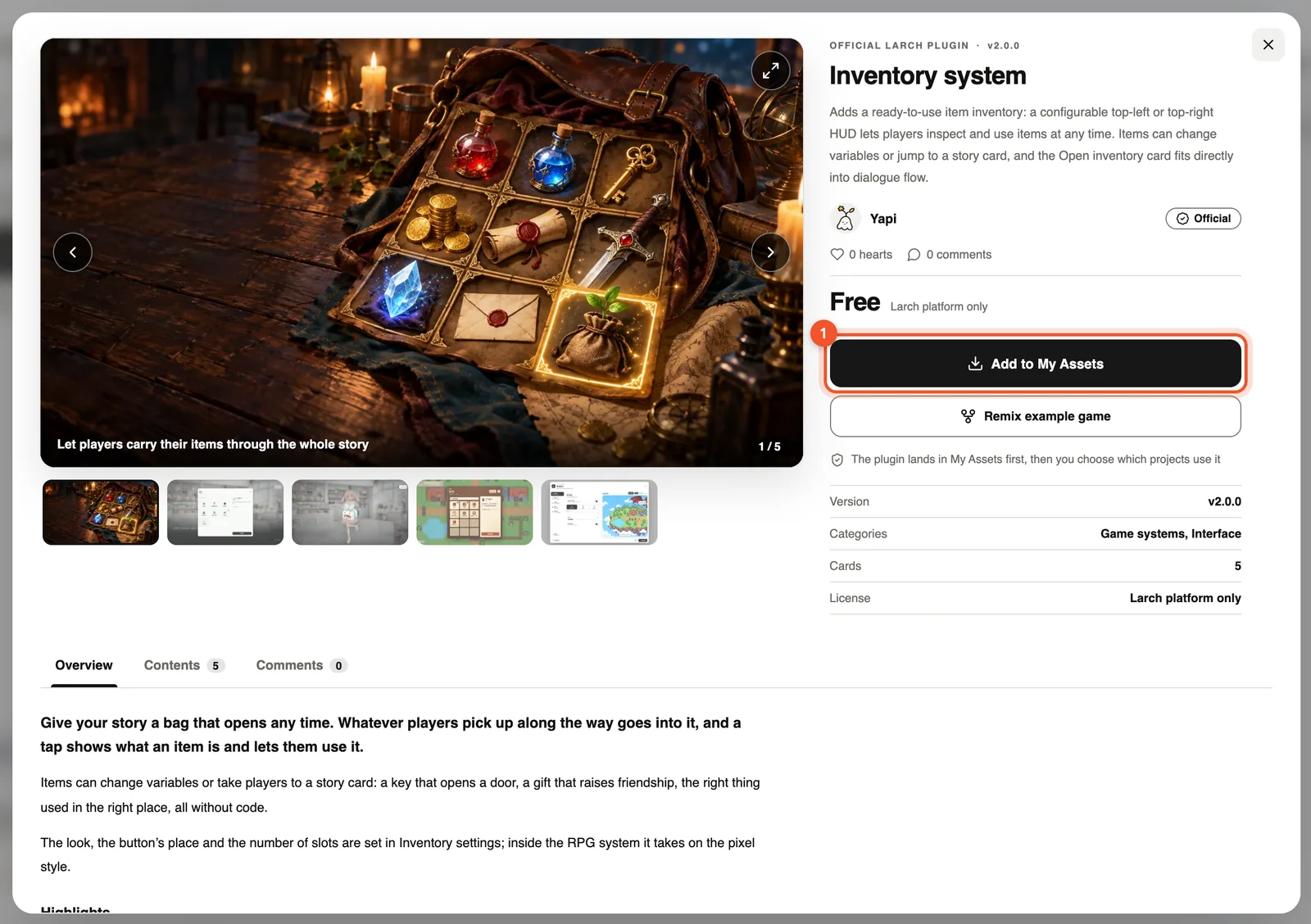
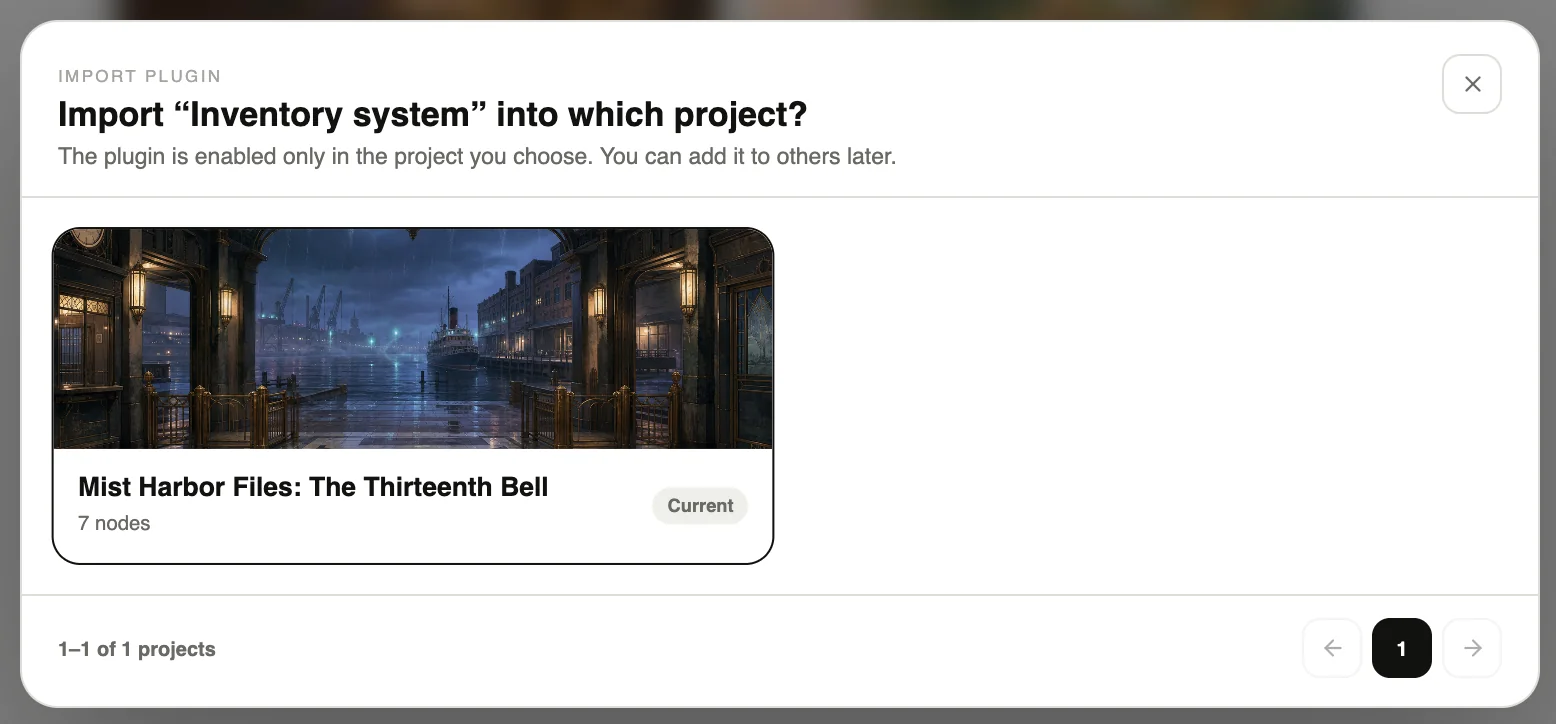
You can import it from three places: My assets → Plugins → Import into project… Add card on the board → Plugins tab → Import When creating a project → tick it under plugins
Use it on the board
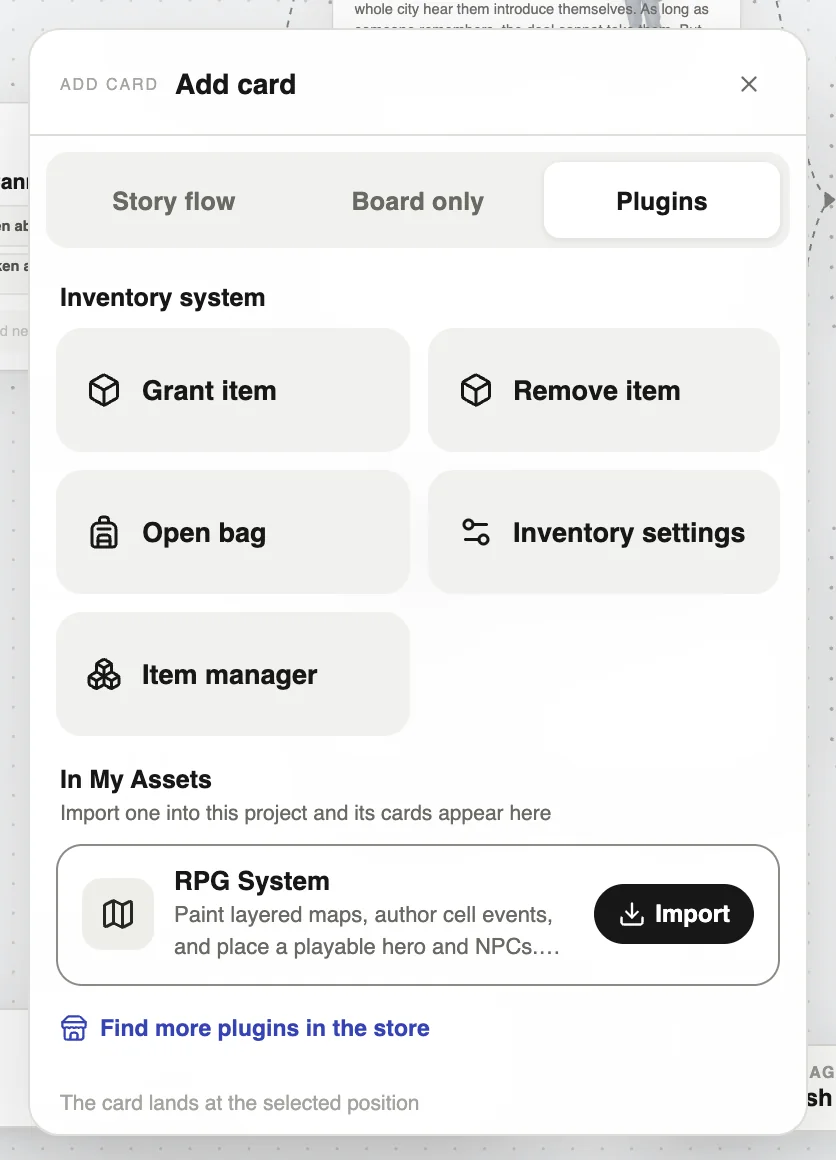
Once imported, double-click the board → Plugins tab to see its cards.
Plugin cards play in the web and Windows versions. Exports to engines such as Unity skip them.
Settings and removal
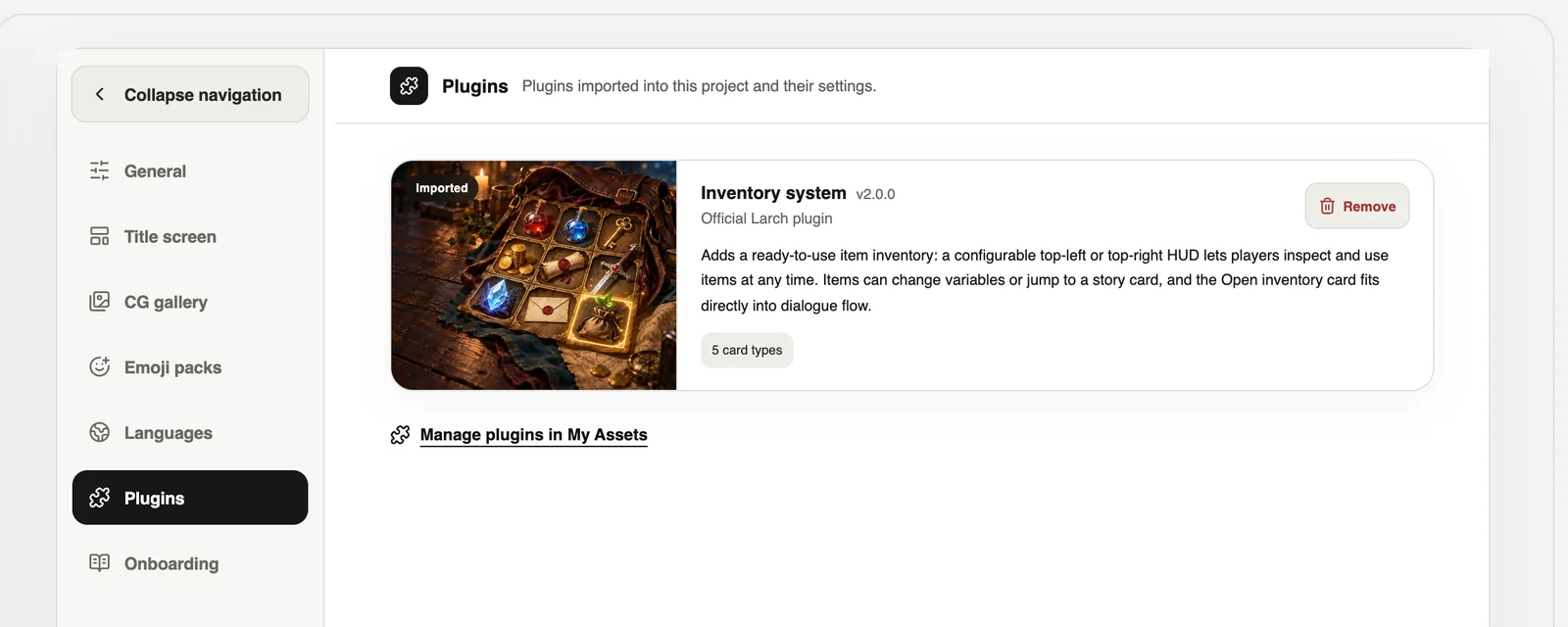
In Project settings → Plugins you can open a plugin’s settings or remove it. Removing it keeps it in My assets, and other projects are not affected. Cards already on the board keep playing.
Build your own plugin
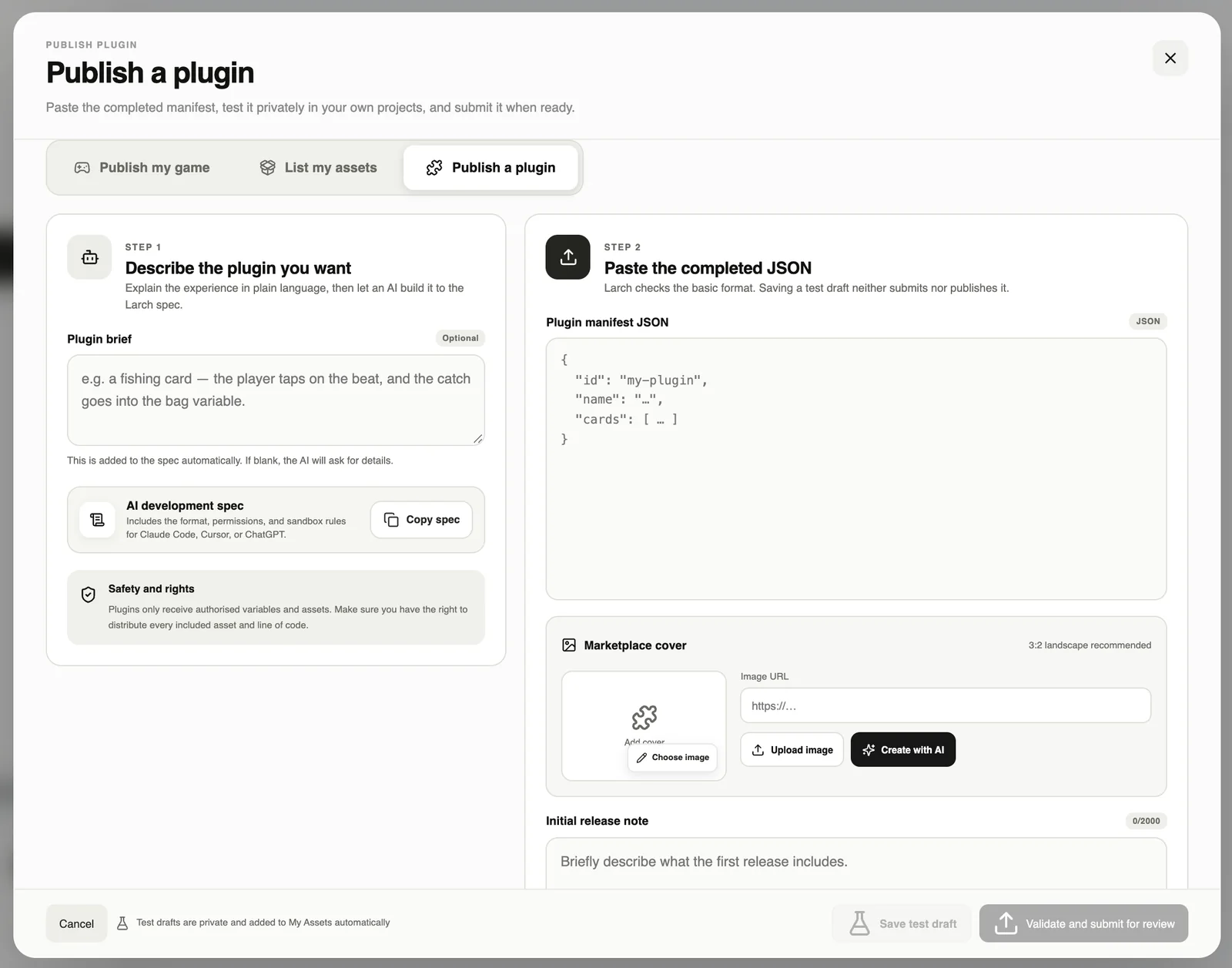
- Marketplace → Plugins → Publish, or press “Have an AI write a plugin”.
- Describe what you want, press Copy spec, and paste it into Claude Code, Cursor or ChatGPT.
- Paste the JSON it makes back in and press Save test draft to try it yourself.
- When it works, press Validate and submit for review. It is listed once approved.
Plugins run in a secure sandbox and cannot reach your account data.